
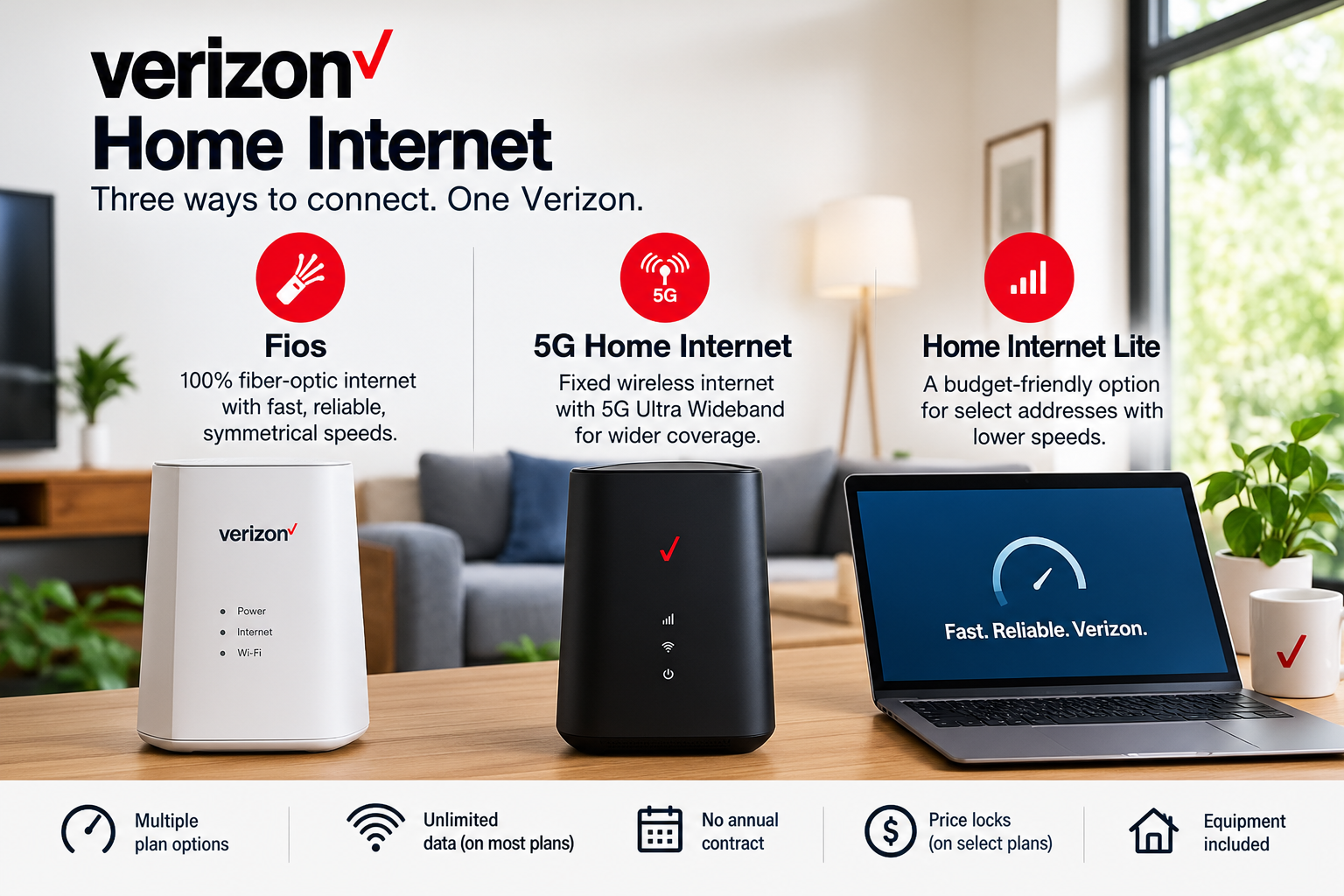
Verizon sells home internet three different ways, and the one you can actually buy depends entirely on your street address. That’s the part most comparison pages gloss over. You can read every review of Verizon 5G Home Internet ever written, decide it’s the plan for you, then type in your address and find out the only thing Verizon offers where you live is a 25 Mbps Lite plan.
So here’s how the whole lineup fits together, what each service really delivers, where the pricing traps are, and how to figure out which one you’re eligible for before you spend an hour on the phone.
The three flavors of Verizon home internet
Verizon’s home broadband lineup breaks down like this:
Fios is 100% fiber-optic, with near-symmetrical upload and download speeds on most plans. It’s the fastest and most consistent service Verizon sells, but the footprint is limited to the Northeast and Mid-Atlantic — roughly the New York metro, New Jersey, eastern Pennsylvania, parts of New England, the DC area and Virginia.
5G Home Internet is fixed wireless. A receiver in your window or on a wall picks up Verizon’s 5G Ultra Wideband signal from a nearby tower and rebroadcasts it as Wi-Fi inside your house. No cables into the home, no technician digging up your yard. This is what Verizon has been pushing hardest, and it reaches far more of the country than Fios does.
Verizon Home Internet Lite is the budget fallback for addresses where neither fiber nor full 5G Home is available. It also runs on the cellular network, but with much lower speeds and a soft data threshold.
There’s also LTE Home Internet, which you’ll still see referenced in older articles. Verizon has closed it to new sign-ups. Existing LTE Home customers keep their service and can switch between LTE Home plans, but you can’t order it fresh anymore.
One more piece of context worth knowing: Frontier is now a Verizon company, and Starry was acquired as well. If Verizon tells you nothing is available at your address, it’s worth checking Frontier Fiber separately — that acquisition pushed Verizon’s combined fiber reach to roughly 30 million homes across 31 states and DC.
Verizon 5G Home Internet plans and what you actually get
There are three tiers. The headline prices you see in ads assume two things: you’re enrolled in Auto Pay with paper-free billing, and you have a Verizon postpaid mobile phone plan on the same account. Business and data-only lines don’t count.
| Plan | Download speed | With mobile + Auto Pay | Standalone | Price lock |
|---|---|---|---|---|
| 5G Home | Up to 100 Mbps | $35/mo | $60/mo | 3 years |
| 5G Home Plus | Up to 150 Mbps | $45/mo | $70/mo | 4 years |
| 5G Home Ultimate | Up to 300 Mbps | $60/mo | $85/mo | 5 years |
Every tier includes the router, unlimited data, and no annual contract. Taxes and fees are baked into the number you see, which is genuinely unusual in this industry and worth about $8 to $15 a month compared to a cable bill advertised at the same rate.
What separates the tiers
The speed jump is the obvious difference, but the extras matter too.
5G Home gets you unlimited data and enough headroom for 1080p streaming on a few devices. It’s the right pick for a one- or two-person household that streams, browses and does video calls.
5G Home Plus adds premium unlimited data. That’s the distinction that trips people up: on the base plan, your traffic can be deprioritized behind mobile phone users when a tower gets congested. Premium data means you hold your speed better during the 7pm crunch. If you live somewhere dense, that’s worth more than the extra 50 Mbps on paper.
5G Home Ultimate adds Whole-Home Wi-Fi with an extender included, 4K streaming headroom, a free router upgrade after three years, and the five-year price lock. Mobile customers on Ultimate also get up to $10/month toward a streaming perk like Netflix and HBO Max, or the Disney+, Hulu and ESPN+ bundle, which meaningfully changes the effective cost.
Speed in the real world
“Up to 300 Mbps” is not a promise. Fixed wireless performance depends on how far you are from the tower, what’s between you and it, how many people share that cell, and where in your house the receiver ends up sitting. Verizon says as much in its own fine print: speeds vary based on location.
In practice, most 5G Home customers land somewhere between 100 and 300 Mbps down, with uploads much lower than downloads — usually in the 10 to 50 Mbps range. That asymmetry is the biggest functional gap versus fiber. If you upload large video files, run a home server, or do a lot of two-way HD video, fixed wireless will feel tighter than the download number suggests.
Latency is better than people expect. It’s not fiber-tier, but it’s well inside playable range for most online gaming, and noticeably better than satellite.
Verizon Home Internet Lite: the rural and DSL-replacement option
Lite exists for households stuck choosing between aging DSL and expensive satellite. It’s not trying to compete with cable.
You get typical download speeds of 10 to 25 Mbps. Data is unlimited in the sense that you’re never cut off or charged overages, but after the first 150 GB in a billing cycle (200 GB on the Lite Extra plan), speeds drop to up to 10 Mbps for the rest of the month. A router is included with self-setup.
Pricing starts around $35/month for Verizon mobile customers with Auto Pay, with a three-year price guarantee. Lite Extra costs more and adds a four-year lock plus Whole-Home Wi-Fi. Standalone, without a Verizon phone plan, expect the Lite rate to be substantially higher.
The honest guidance: check for 5G Home first. If 5G Home is available at your address, it starts at a similar price, delivers several times the speed, and has no data threshold at all. Lite only makes sense when 5G Home isn’t offered where you live.
Who Lite genuinely suits: a household that emails, browses, watches an hour or two of HD TV a night, and has been paying $70+ for satellite with a hard cap. Who it doesn’t: anyone with teenagers, multiple 4K streams, cloud backups, or a gaming habit. You’ll hit 150 GB in the first week and spend three weeks at 10 Mbps.
How Verizon Fios compares
If you’re inside the Fios footprint, the calculus changes entirely.
Fios runs fiber directly to your home, which means symmetrical or near-symmetrical speeds — the 300 Mbps plan uploads at roughly 300 Mbps too. There’s no deprioritization, no weather sensitivity, no window-placement experiments. Verizon advertises Fios 300 Mbps starting around $30/month with a Verizon mobile plan and Auto Pay, with tiers running up through 500 Mbps, 1 Gig, 2 Gig and 5 Gig.
The price locks follow the same pattern as 5G Home: the entry tiers carry a three-year guarantee, the gigabit and faster tiers carry five years. A setup fee can apply on Fios installs, and it’s commonly waived for customers who take the Mobile + Home bundle — worth asking about directly rather than assuming.
Fios is the better product on nearly every technical axis. The only reason to choose 5G Home over Fios at an address where both are available is price or a strong dislike of scheduling an installation window.
The pricing details that catch people out
The advertised price requires two discounts stacked. Drop Auto Pay, or cancel your Verizon phone line, and the home internet rate jumps back toward the standalone figure. Budget for the number you’d pay if your situation changed.
The price lock covers the base rate only. It applies to the then-current monthly plan rate. Streaming perks, equipment add-ons, third-party services and any promotional credits sit outside it.
Equipment is Verizon’s, not yours. The router and any Wi-Fi extender are loaned. Cancel service and you have 30 days to send them back, or you’ll be charged an unreturned equipment fee that can run up to $300 per unit.
Professional setup isn’t always free. A setup charge of up to $99 can apply on 5G Home depending on plan and location, though it’s waived in many cases. Self-setup is available in most areas and takes about 20 minutes.
Whole-Home Wi-Fi has an upgrade tier. If your plan includes it, you can step up to Whole-Home Wi-Fi Plus for about $5/month, which gets you up to three extenders instead of one. Worth it in a large or oddly shaped house, pointless in an apartment.
Switching: the credits and guarantees that reduce your risk
Two things make trying Verizon home internet lower-stakes than it looks.
There’s a 30-day money-back guarantee on the service charge. Activate, test it properly in the rooms you actually use, and if it’s poor, cancel within 30 days for a refund of service usage. Equipment, setup charges and add-ons aren’t covered, and you still have to return the hardware.
There’s also an early termination fee credit of up to $500. If you’re locked into a contract with your current provider, Verizon will credit the ETF amount back to your account. You need documentation of the fee from the old provider, submitted within 90 days of your Verizon setup, and you’re still the one who pays your old provider directly. If you cancel Verizon within 90 days, that credit gets charged back.
If money is tight, look at Verizon Forward before you order. It’s a discount program for customers who qualify through Lifeline, SNAP, WIC and similar assistance programs, or who received a Federal Pell Grant in the past year. Military, first responder, nurse, teacher and student discounts exist separately.
How to figure out what you can actually get
- Enter your exact address on Verizon’s site. Not your ZIP code — the specific address. Availability for 5G Home can differ between two houses on the same block depending on line of sight to the tower.
- Note which services come back. Fios, 5G Home tiers, Lite, or nothing.
- If nothing comes back, check Frontier separately. Frontier Fiber now sits under the Verizon umbrella and covers different ground.
- Decide whether you’ll keep a Verizon phone line. This single factor moves the price by $25/month on 5G Home. If you’re already a Verizon mobile customer, the home internet math gets aggressive in your favor. If you’re not, compare the standalone rate against local cable and fiber honestly.
- When you install, test before day 30. Run speed tests at different times of day, especially evenings, and in the rooms where you’ll actually use the connection.
Who should choose what
Choose Fios if it’s available. Symmetrical speeds, no congestion penalty, no placement fiddling.
Choose 5G Home Ultimate if you’re outside the fiber footprint, have a Verizon phone plan, and run a busy household — multiple 4K streams, a gamer, someone working from home. The premium data and five-year lock are the real value, not just the speed tier.
Choose 5G Home or 5G Home Plus for smaller households. Plus is the better buy if you live somewhere dense where evening congestion is likely; the base plan is fine in quieter areas.
Choose Lite only when it’s the only Verizon option at your address and your usage genuinely is light. Compare it against satellite and any local fixed-wireless provider before committing.
Skip Verizon home internet entirely if you have symmetrical fiber from another provider at a similar price, or if your work depends on high upload speeds and 5G Home is the only Verizon option on offer.
Frequently asked questions
Do I need a Verizon phone plan to get Verizon home internet?
No. You can order any Verizon home internet plan on its own. But the Mobile + Home discount is significant, and the advertised prices assume you have one. Without a Verizon mobile line, expect to pay closer to the standalone rate.
Is there a data cap on Verizon 5G Home Internet?
No cap and no overage charges on any 5G Home tier. The base 5G Home plan can be deprioritized during network congestion; Plus and Ultimate include premium data, which holds speed better when the tower is busy. Home Internet Lite is the exception — it slows to 10 Mbps after the monthly data threshold.
How long does installation take?
Self-setup is available in most areas and generally takes under half an hour: plug in the receiver, move it around until the app reports a strong signal, connect your devices. Professional setup is available where self-install isn’t offered, and a fee can apply depending on plan and location.
Does weather affect 5G Home Internet?
Far less than satellite, but it isn’t immune. Heavy rain and dense foliage can degrade millimeter-wave signal in particular. Most customers on mid-band 5G notice little to no weather variation.
Can I use my own router?
You can connect your own router behind Verizon’s gateway to run your preferred Wi-Fi setup, but the Verizon-supplied gateway is required — it’s the piece receiving the 5G signal, and you can’t replace it with third-party hardware.
What happens to my price after the lock expires?
The guarantee protects your base rate for the stated term. After that, the rate can change. Verizon doesn’t publish what post-lock pricing will look like, so treat the lock as a fixed window rather than a permanent rate.
Is 5G Home Internet good enough for gaming?
For most gaming, yes. Download speeds are ample and latency is generally low enough for competitive play. The caveats are upload speed, which matters if you stream your gameplay, and occasional variability during peak hours on the non-premium tier. Wired fiber remains the better option if you can get it.
Is Verizon 5G Home Internet available everywhere Verizon 5G is?
No, and this catches a lot of people. Having 5G on your phone at your house doesn’t mean 5G Home is sold there. Verizon allocates home internet capacity tower by tower, and coverage expands in stages. Check your specific address rather than assuming.
The bottom line
Verizon’s home internet offering is unusually honest about pricing — taxes included, equipment included, multi-year rate locks, no annual contract — and unusually dependent on geography. Fios is excellent and narrow. 5G Home is good, widely available, and variable by address. Lite is a genuine improvement over DSL and satellite for light users and a poor fit for anyone else.
Start with the address check, factor in whether you’ll hold a Verizon phone line, and use the 30-day window to test properly rather than trusting the advertised speed. Plans, promotions and availability change regularly, so confirm current pricing at your address before you order.
